
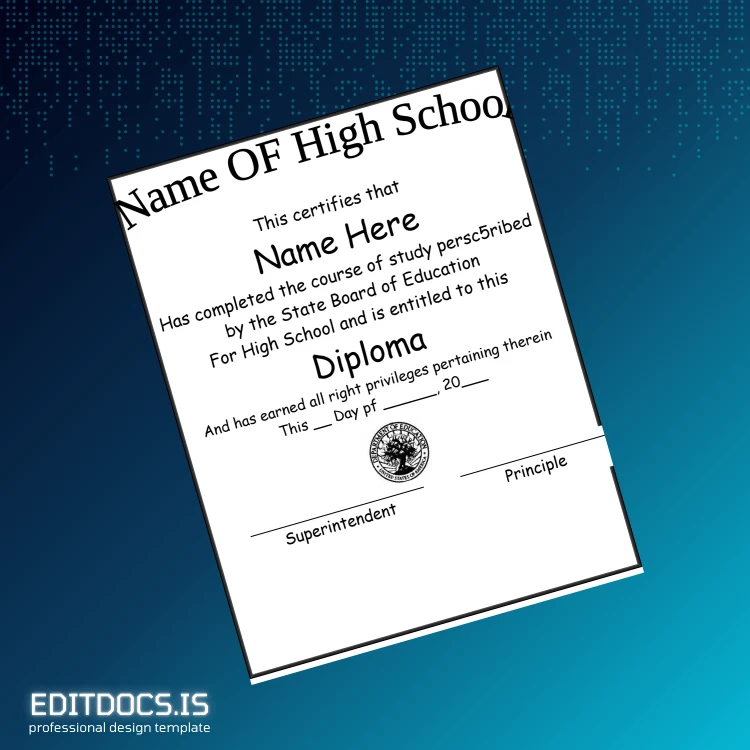
How to Create Your USA High School Diploma Template (Word & PDF) in Minutes
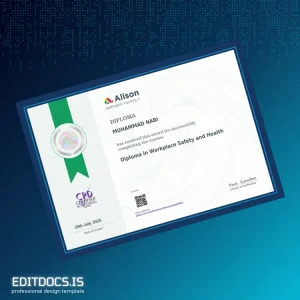
Our USA High School Diploma Template (Word & PDF) offers a professional and editable certificate format designed for quick customization and high-quality presentation. Suitable for personal use or replacement copies, this digital diploma download ensures you have an authentic-looking document ready within minutes. Users can seamlessly customize all essential details and print the final version using standard formats. This editable diploma template stands out with its user-friendly layout and compatibility across platforms, ensuring you can achieve polished results effortlessly.
To explore more options in editable certification documents, visit our editable diploma template collection and find a variety of customizable degree templates tailored to your needs.
Step 1: Download & Open
Once your purchase is complete, you receive an instant file download with both Word and PDF formats included. These widely supported file types allow immediate access and editing on multiple devices and operating systems. Whether you prefer to work offline or online, the files open smoothly in Microsoft Word or any compatible PDF editor that supports form fields, ensuring flexibility in how you handle your diploma design.
Step 2: Customize Details
Editing the USA High School Diploma Template is straightforward—change the graduate’s name, school name, dates, and signatures with ease. All text fields are fully editable, allowing you to adjust the font style, size, and color to match your preferences. The clean and structured layout enhances readability and professional appeal, making it easy even for users with minimal design experience to create a convincing replacement diploma or novelty diploma design.
Step 3: Print Professionally
For best results, print the completed diploma on standard 8.5" x 11" high-quality cardstock or certificate paper. The template’s high resolution ensures sharp text and clear graphics, suitable for professional printing services or home printers. Use recommended print settings such as “Best Quality” mode to preserve color vibrancy and detail, delivering an authentic and impressive final product ready for framing or presentation.
| Feature | Detail |
|---|---|
| File Format | Microsoft Word (.docx) & PDF |
| Dimensions | 8.5" x 11" (US Letter) |
| Resolution | High (300 DPI) |
| Editable Fields | Name, Date, Signatures, School Name |
| Download Type | Instant digital download after purchase |
| Compatibility | Windows, Mac OS, Mobile devices |
| Usage | Personal use, replacement copy, novelty purpose |
Reviews
There are no reviews yet.